I have been researching an alternative for an Open Source AI workflow that is efficient and easy to use. Recently, I discovered some interesting tools that can help create this workflow. In this post, I’m going to share what I’ve learned and how I’m using these tools.
Tools used
- Ollama: A tool for running language models locally.
- OpenCode: The open source AI coding agent.
- Z.ai: Provides various AI models.
- roborev: A tool for automated review.
The example I’m going to show is updating a React Native application to Expo SDK 55 beta, which was recently released.
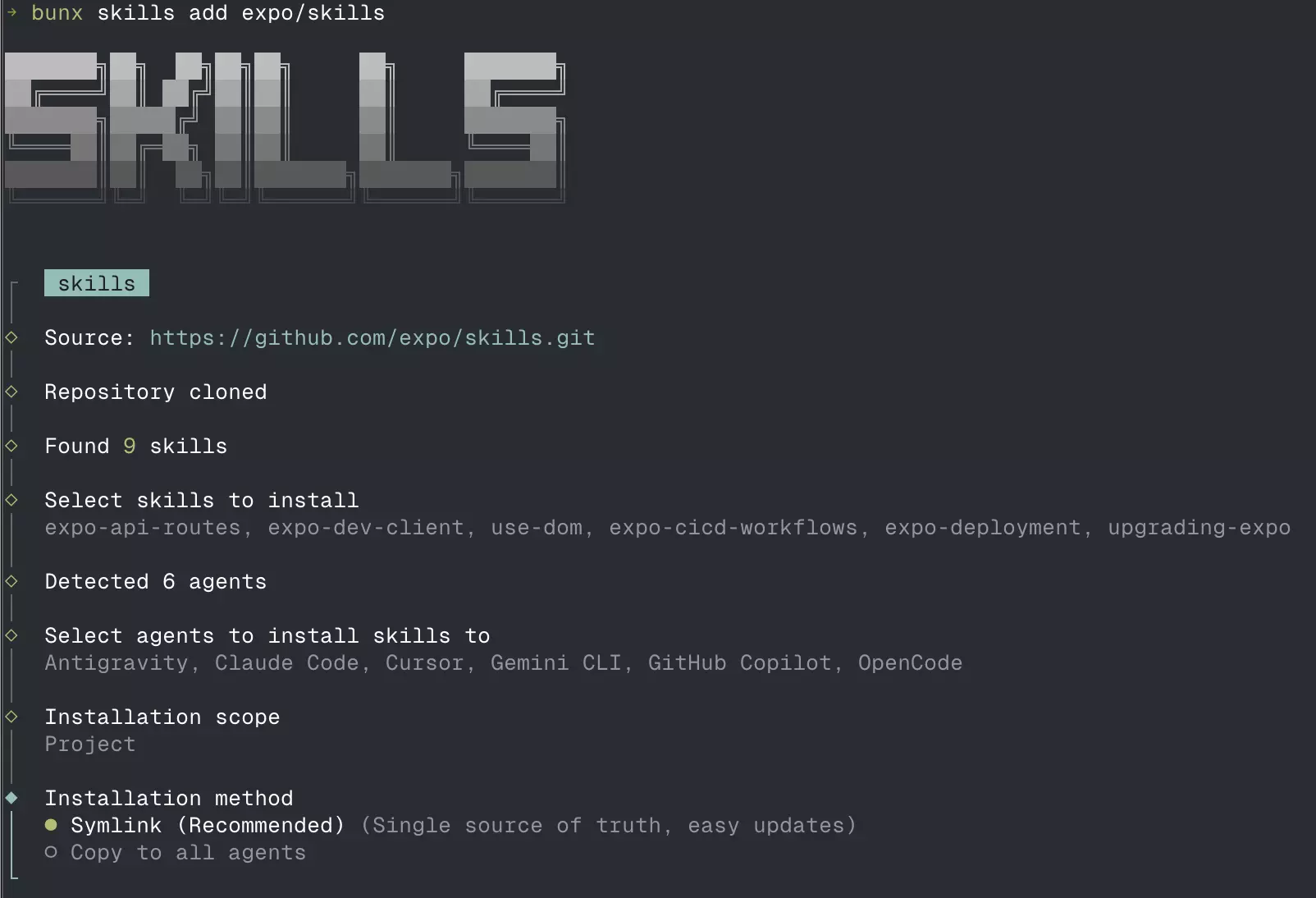
First, I had to install the skills in the root of the project that will help me perform this task.
bunx skills add expo/skillsIf you don’t have
bunxinstalled, you can install it by following the instructions at https://bun.sh/.
I selected:
- the skills:
expo-api-routes,expo-dev-client,use-dom,expo-cicd-workflows,expo-deployment,upgrading-expo; - the agents: Antigravity, Claude Code, Cursor, Gemini CLI, GitHub Copilot, OpenCode;
- You can choose only OpenCode if you want to keep it simple.
- where to install: in the current project;
- Installation method: Symlink (Recommended)
- This method creates symbolic links to the skills in your project, allowing for easy updates and management for all agents.
Next, I installed Ollama on my machine. Ollama allows running language models locally, which is great for privacy and control.
brew install ollamaOllama recently released the launch command where you can install and run your favorite coding tools like Claude Code, OpenCode, and Codex with local or cloud models. You can find more information about the launch command in the official documentation.
ollama launchI selected OpenCode and the glm-4.7:cloud model. Since my machine doesn’t support glm-4.7:flash, I opted to use the cloud model.
ollama launch opencode --model glm-4.7:cloudThe GLM-4.7 model
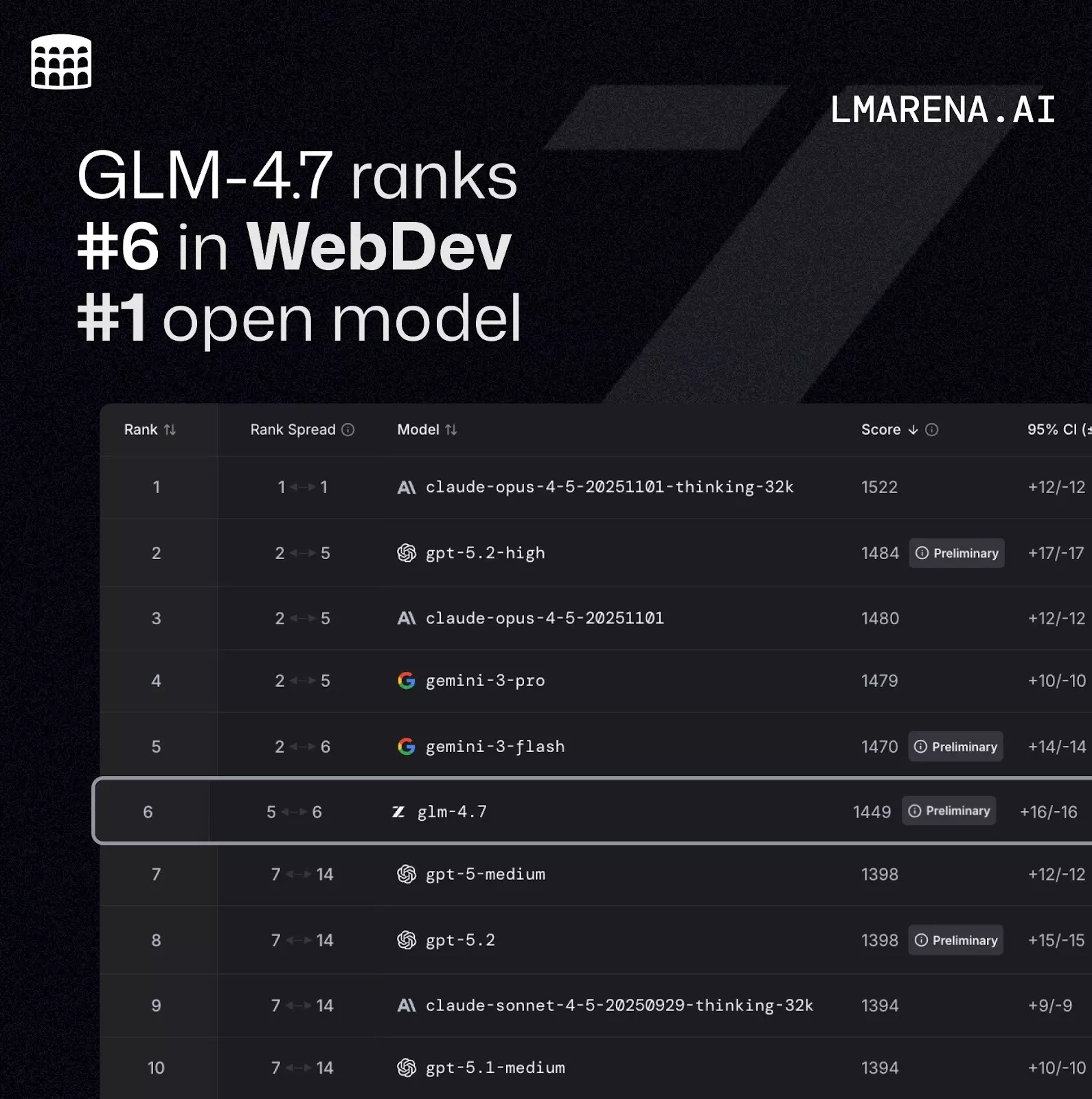
GLM-4.7 is an advanced language model that offers excellent performance in coding tasks. It is capable of understanding and generating code in various programming languages, making it an ideal choice for OpenCode.
Code Arena: A professional coding evaluation system with millions of global users participating in blind tests. GLM-4.7 ranks first among open-source models and domestic models, outperforming GPT-5.2
If you want to know more about GLM-4.7, you can check out the official post.
Using OpenCode
With the environment ready, I can start using OpenCode to help with my application update.
So I opened OpenCode with the command in the project root:
opencodeThen I typed the prompt “Upgrade this project to Expo SDK 55” in “Plan” mode, and OpenCode started analyzing the project and suggesting changes.
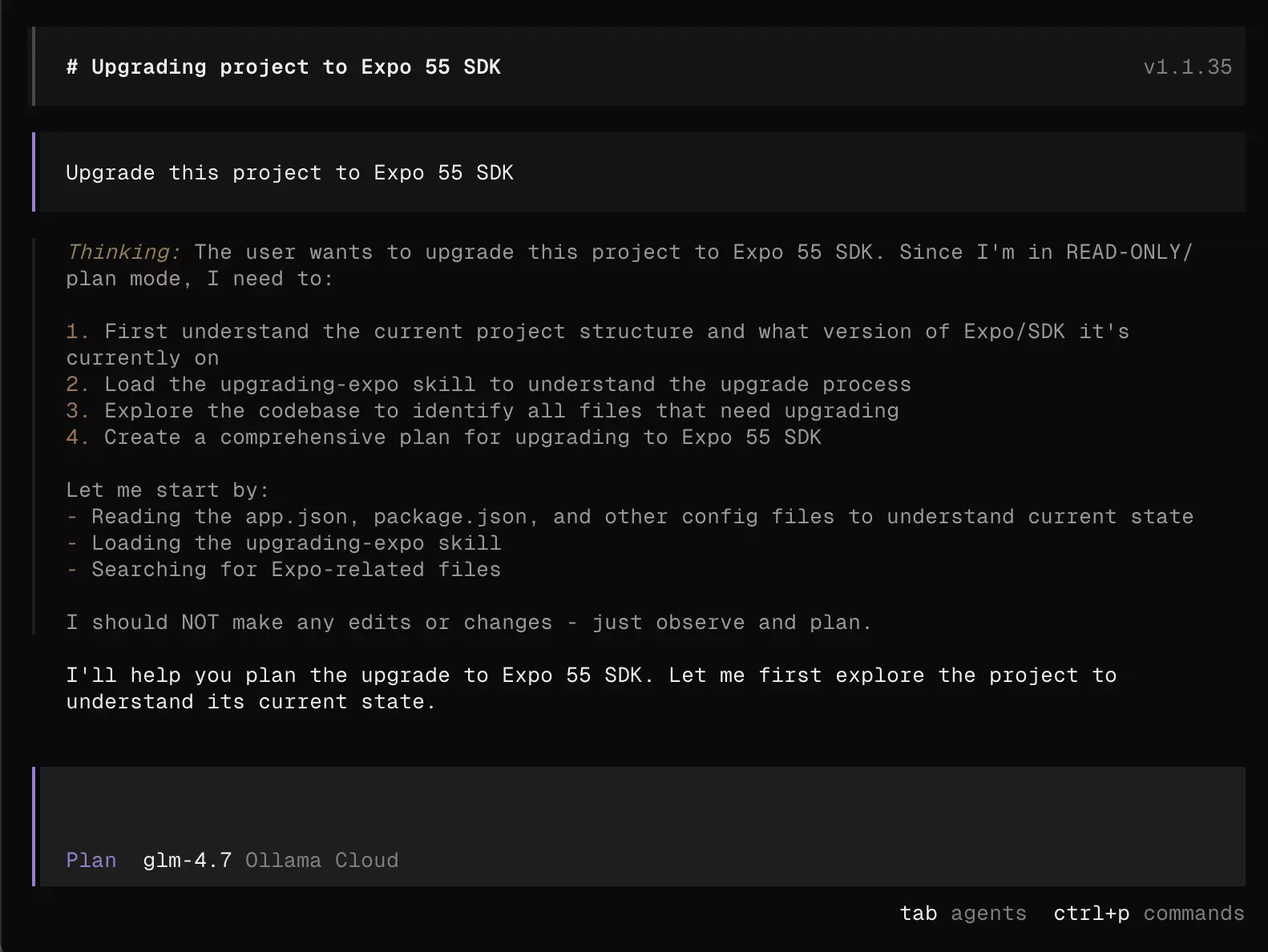
Upon finishing the plan, OpenCode showed me a list of tasks it would execute to update the project. With that, I switched the agent mode to “Build” using the tab key and typed “Follow the plan” in the prompt, so OpenCode began making changes to the code via an agent.
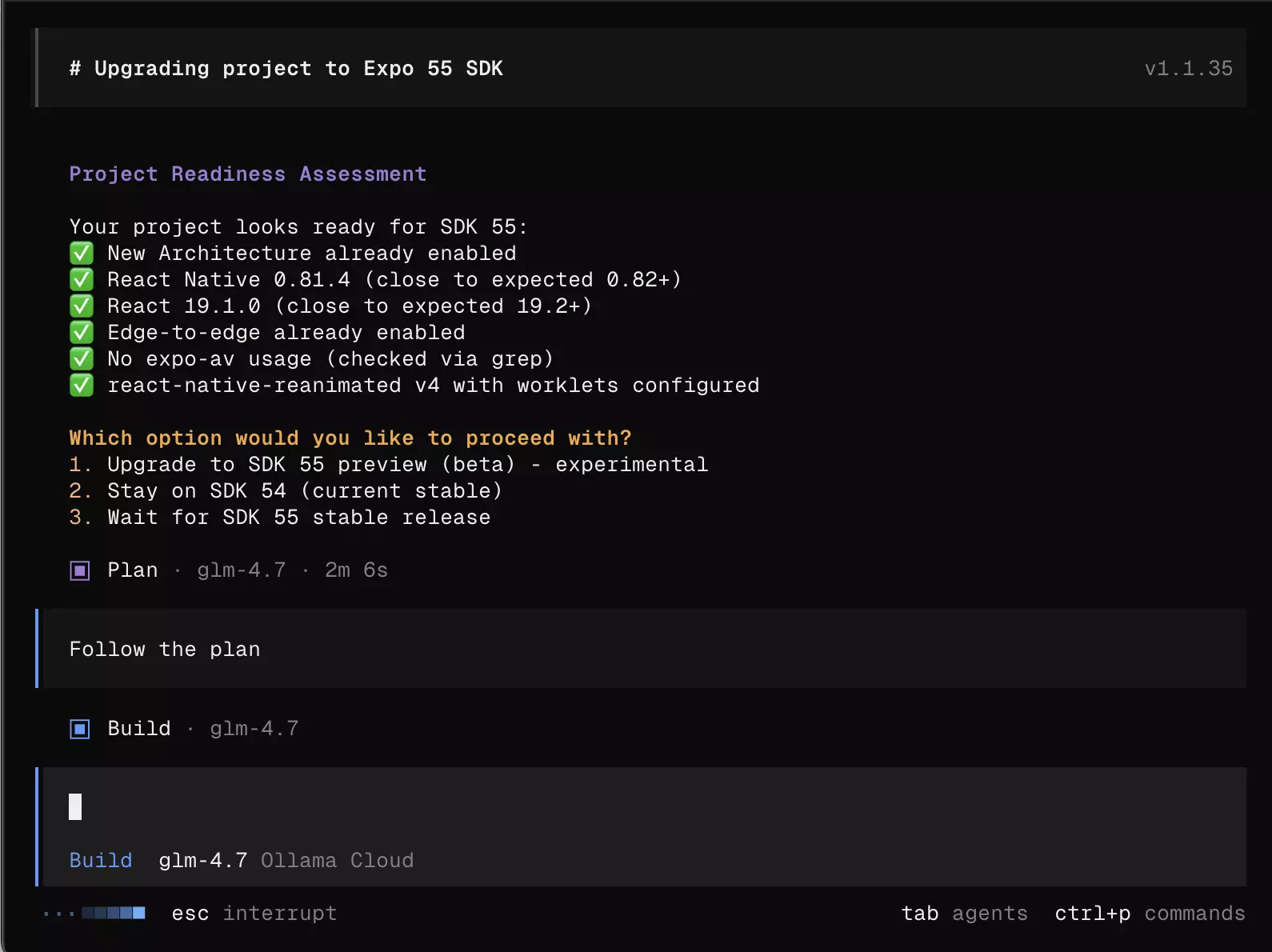
OpenCode was very efficient in identifying the necessary changes and applying them to the code. It updated the dependencies, adjusted the code to be compatible with the new Expo SDK version, and made other improvements.
Code review with roborev
roborev is an automated review tool that helps identify code issues and suggest improvements.
So, I installed roborev on my machine and used it to review the changes made by OpenCode.
curl -fsSL https://roborev.io/install.sh | bashInside the project folder, I ran the command:
roborev init # Install post-commit hook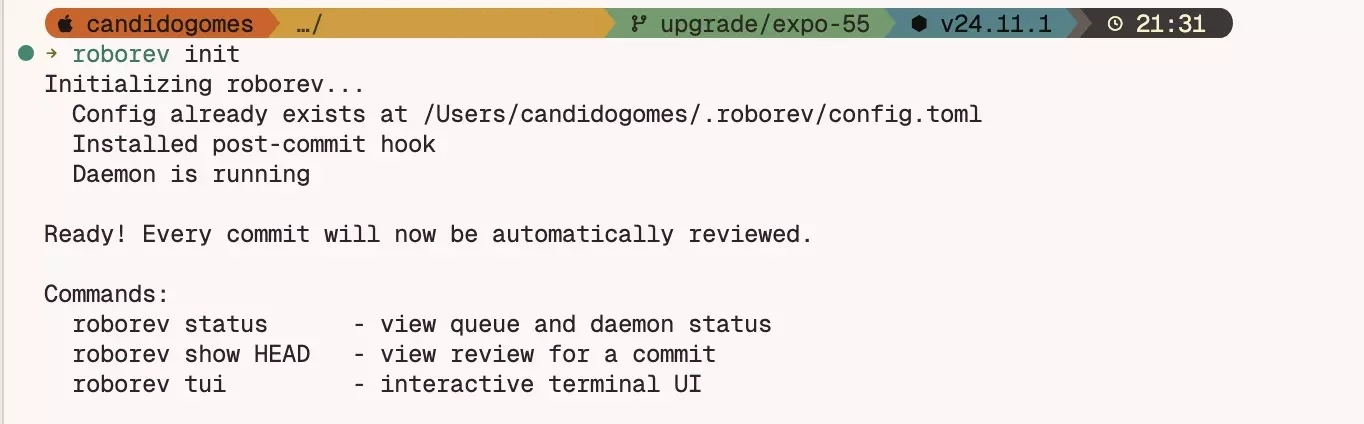
I created the .roborev.toml file with the following content:
agent = "copilot"This will set the review agent to Copilot, which is an AI model specialized in code review. RoboRev supports other agents like Claude Code or Gemini; see more in the documentation.
Then I ran the command to review the current branch:
roborev review --branch
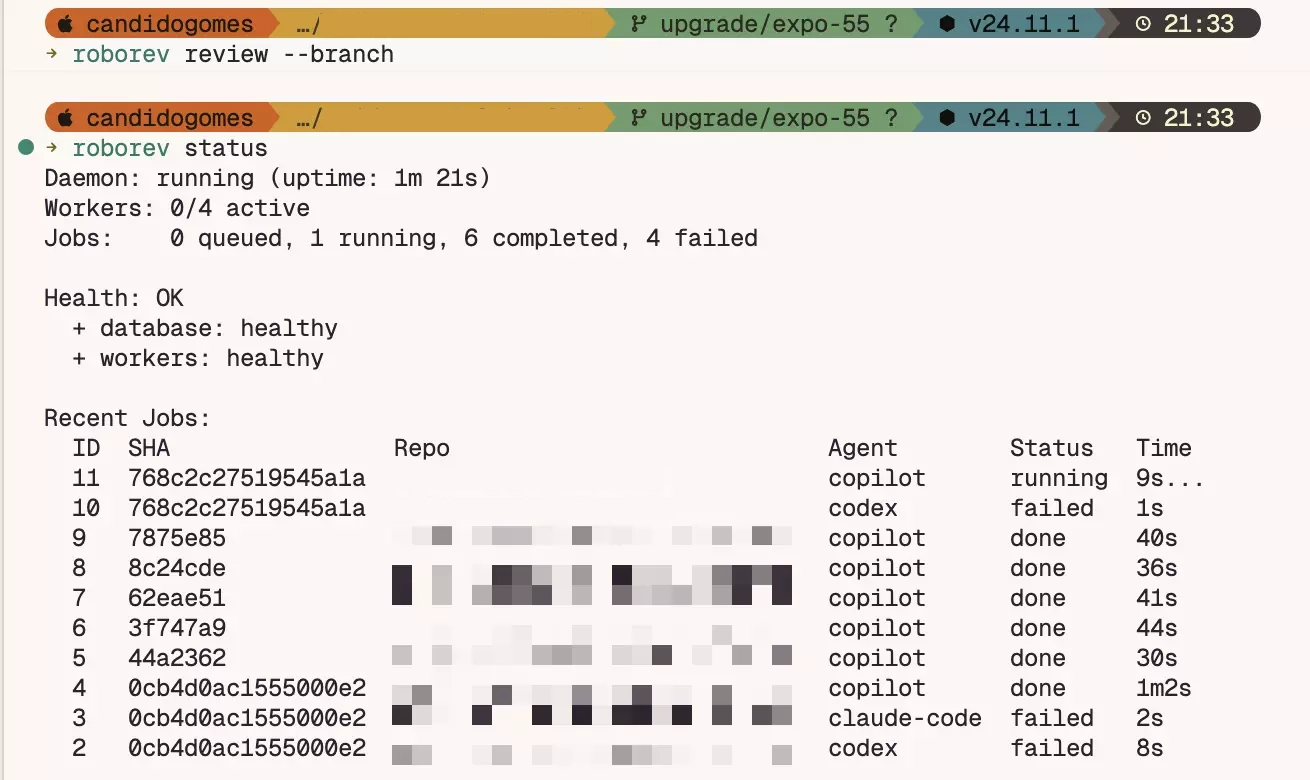
It will start a background process that will analyze the changes and generate a review report. After a few seconds, I received the report with suggestions for improvements and fixes.
Next, I ran the command to start an interactive review session:
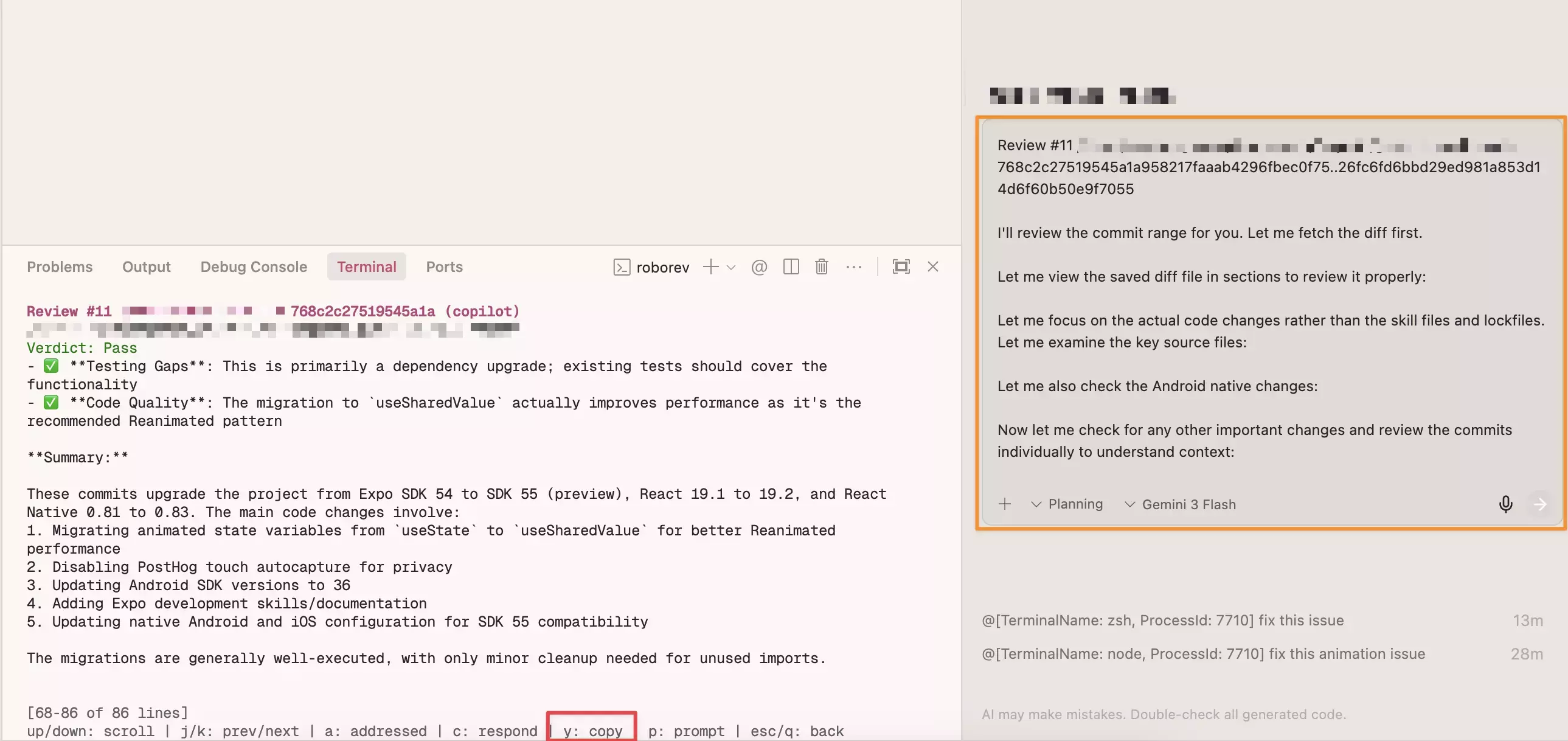
roborev tuiI selected the first review session and started analyzing the suggestions made by RoboRev.
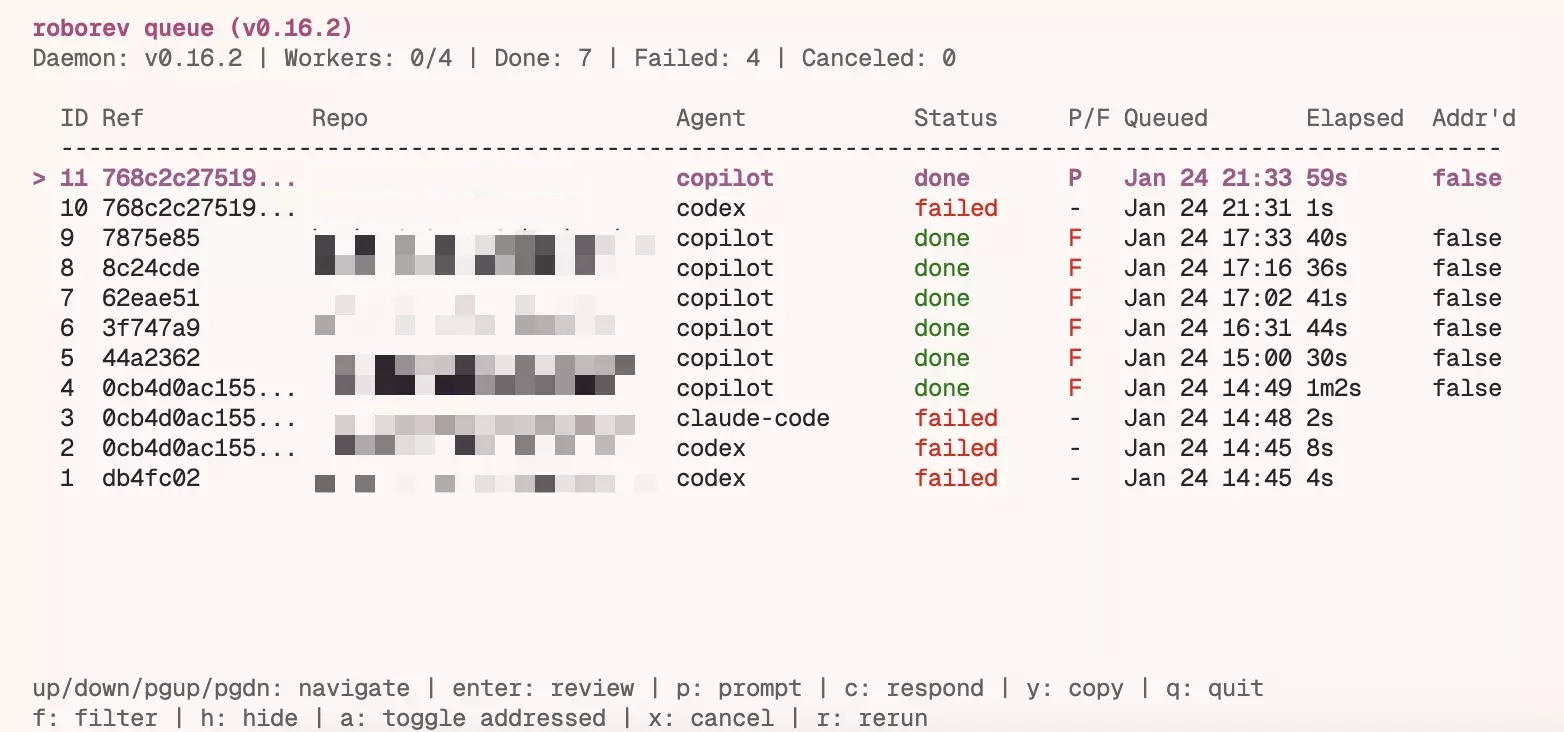
With this, I can copy the suggestions and apply them in the prompt. RoboRev was very useful for ensuring that the changes made by OpenCode were correct and followed coding best practices.
Conclusion
By combining Ollama, OpenCode, and roborev, I was able to create an efficient workflow to update my React Native application to Expo SDK 55 beta. These AI tools helped me automate a large part of the process, saving time and effort.
If you’re looking for a way to improve your development workflow, I recommend trying out these tools.